
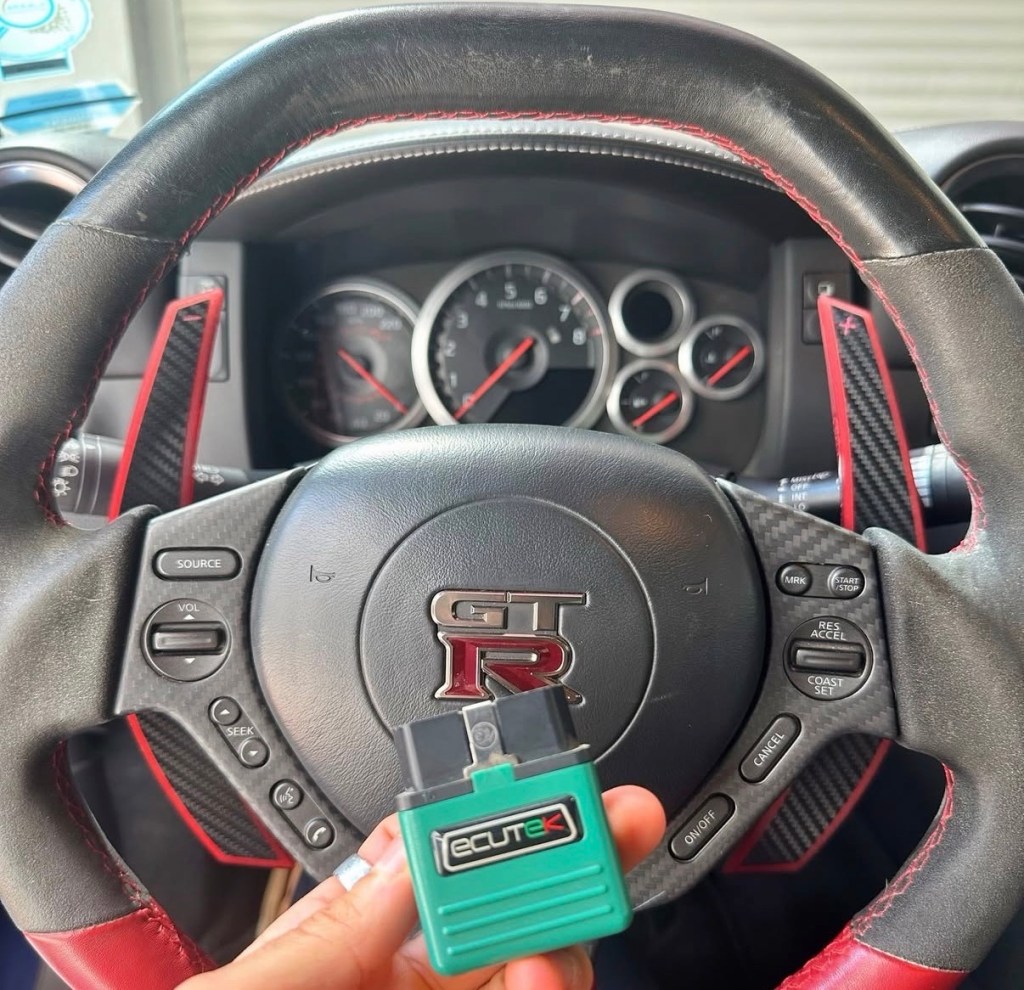
Datalogging is one of the most important tools when tuning or diagnosing a Nissan GT-R. A good log can quickly confirm whether a setup is healthy, knocking, slipping, heat-soaked, or limited by torque management. A bad log is usually unusable.
This guide covers:
- What parameters to log
- How to set up a clean WOT pull
- How to log the engine ECU (ECM)
- How to log the TCM separately
- Common mistakes to avoid
Before You Start
Before logging, make sure the basics are correct.
- Plug the EcuTek Bluetooth dongle into the OBDII port.
- Open Ecu Connect app
- Engine & Coolant warmed up ~65
- Trans Fluid ~50 c
- Flat, safe road with enough space
- Traction control fully disabled
If anything feels off during the pull, abort the run.
Engine ECU Datalog Setup
Inside ECUTek, go to Datalogging and select only what matters. Too many channels reduce resolution and make logs harder to read.
Core ECM Parameters + few TCM related I like to add as well (highlighted in orange)
- A/F Adjustment Bank #1
- Accel Position Sensor 1
- AFR B1 (afr)
- AFR B2 (afr)
- Boost Bank 1 (psi)
- Boost Bank 2 (psi)
- Boost Error (psi)
- Boost Target (psi)
- Clutch A Slip (rpm)
- Clutch A Temperature (°C)
- Clutch B Slip (rpm)
- Clutch B Temperature (°C)
- Clutch Slip (rpm)
- Clutch Slip Error (rpm)
- Coolant Pressure (psi)
- Coolant Temperature (°C)
- CSP Flags
- Engine Load (%)
- Engine Oil Pressure (psi)
- Engine Oil Temperature (°C)
- Engine Speed (rpm)
- Fluid Temperature (°C)
- Fuel Pressure (relative) (psi)
- Fuel Pump Duty (%)
- Fuel Trim Long Term Bank #1 (%)
- Fuel Trim Short Term Bank #1 (%)
- Fuel Trim Short Term Bank #2 (%)
- Gear (gear)
- Ignition Timing (°)
- Injector Duty B1 (%)
- Injector Pulse Width Bank #1 (ms)
- Intake Air Temperature (°C)
- Knock Correction (°)
- Knock Sensor Cylinder 1
- Knock Sensor Cylinder 4
- Line Pressure (psi)
- Line Pressure Target (psi)
- Manifold Gauge Pressure (psi)
- Mass Airflow Sensor Bank #1 (V)
- Mass Airflow Sensor Bank #2 (V)
- Safety Mode
- Throttle Angle Bank #1
- Throttle Angle Bank #2
- Torque Actual (Nm)
- Torque Demand (Nm)
- Vehicle Speed (km/h)
- VVT Intake Angle Bank #1 (°)
- VVT Intake Angle Bank #2 (°)
- Wastegate Duty (%)
Driving Mode Setup
Driving setup for proper WOT pull:
- Manual Mode
- Transmission Mode R
- Suspension Mode: R
- VDC: Fully OFF (Be careful – Try with R mode first, if traction kicks in. Retry with OFF)
Perform a proper WOT
- Select 2nd gear (3rd to 4th also acceptable)
- Cruise at ~2,500–3,000 RPM
- Hold the car steady – Click START on the EcuConnect App
- Press throttle smoothly to 100%
- Stay full throttle until 7,000–7,500 RPM & shift to next gear
- Lift smoothly and stop logging
Do Not:
- Stab the throttle suddenly
- Short shift
Reviewing the Log
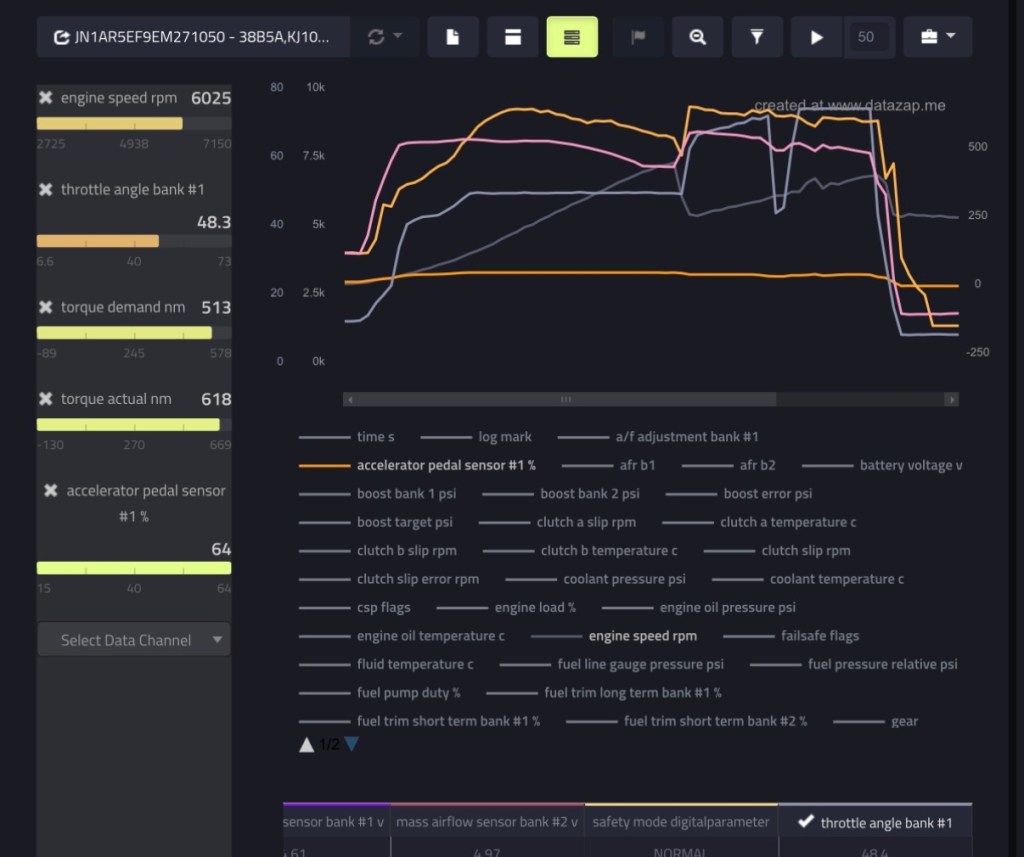
After logging, check the basics first. Export CSV file through the Ecutek Connect app. View CSV or import to https://datazap.me/ for visual graphs
- Boost hits target without oscillation
- AFR follows commanded values
- Ignition timing is smooth
- Knock correction stays minimal
- Wastegate duty is stable
- Clutch slip returns to near zero after shifts
Common Mistakes to Avoid
- Logging too many parameters
- Using automatic mode
- Logging cold engine or gearbox
- Mixing street pulls with rolling throttle
- Ignoring TCM data entirely
A perfect engine log with a slipping transmission tells only half the story.
TCM Datalog Setup (Transmission)
TCM logging on the GT-R is not the same as normal engine WOT pulls. The goal is to evaluate clutch behavior, pressure control, torque management, and shift quality under controlled conditions. Random pulls or mixed throttle logs make TCM data almost useless.
This guide focuses on clean, repeatable transmission logs.
You’ll want to run 2 logs, for low pressure and high (more info below)
Key TCM Parameters
Log these when checking clutch behavior or shifts:
- Accel Position Sensor 1 (tcm)
- Axis A Pressure Target
- Axis B Pressure Target
- Comm Axis A S/V (%)
- Comm Axis B S/V (%)
- Battery Voltage
- Brake Pressure
- Clutch A Pressure
- Clutch A Pressure Target
- Clutch A Slip
- Clutch A Temp
- Clutch B Pressure
- Clutch B Pressure Target
- Clutch B Slip
- Clutch B Temp
- Engine Speed 1
- Engine Torque Available
- Engine Torque Demanded
- Engine Torque Supplied
- Fluid Temp
- Gear Current
- Gear Desired
- Line Pressure
- Line Pressure Target
- Mode
- Position Sensor 1 (1-R)
- Position Sensor (2-4)
- Position Sensor (3-5)
- SV Flags Commanded
- SV Flags Monitored
- Vehicle Speed 1
Note
Clutch slip RPM spikes are normal during shifts. Continuous slip under load is not.
Two Types of TCM Logs You Should Perform
A) Low-Pressure Log
Purpose: To asses stability
How to do it:
- Start in manual mode, 1st gear
- 30% Throttle, shifting at 3,500 rpms (each gear)
- Ideal shift from 1-4th or more if you have enough room.
B) High-Pressure Log
Purpose: Check clutch slip
how to do it
- Start in manual mode, 2nd gear
- Apply full throttle 100%
- Shift at 6,000 rpms to 4th
- Immediately lift after the shift
- Stop the log
Final Notes
TCM logging is about control, not aggression. Clean inputs produce clear answers. If clutch slip, torque limits, or pressure behavior look questionable, stop pushing the car and review the data before continuing.
If you need help choosing the right parameters or interpreting clutch behavior, this is where proper guidance saves transmissions.
For Datalogging with COBB. Videos below.
 MAJJ GARAGE
Leave a comment