
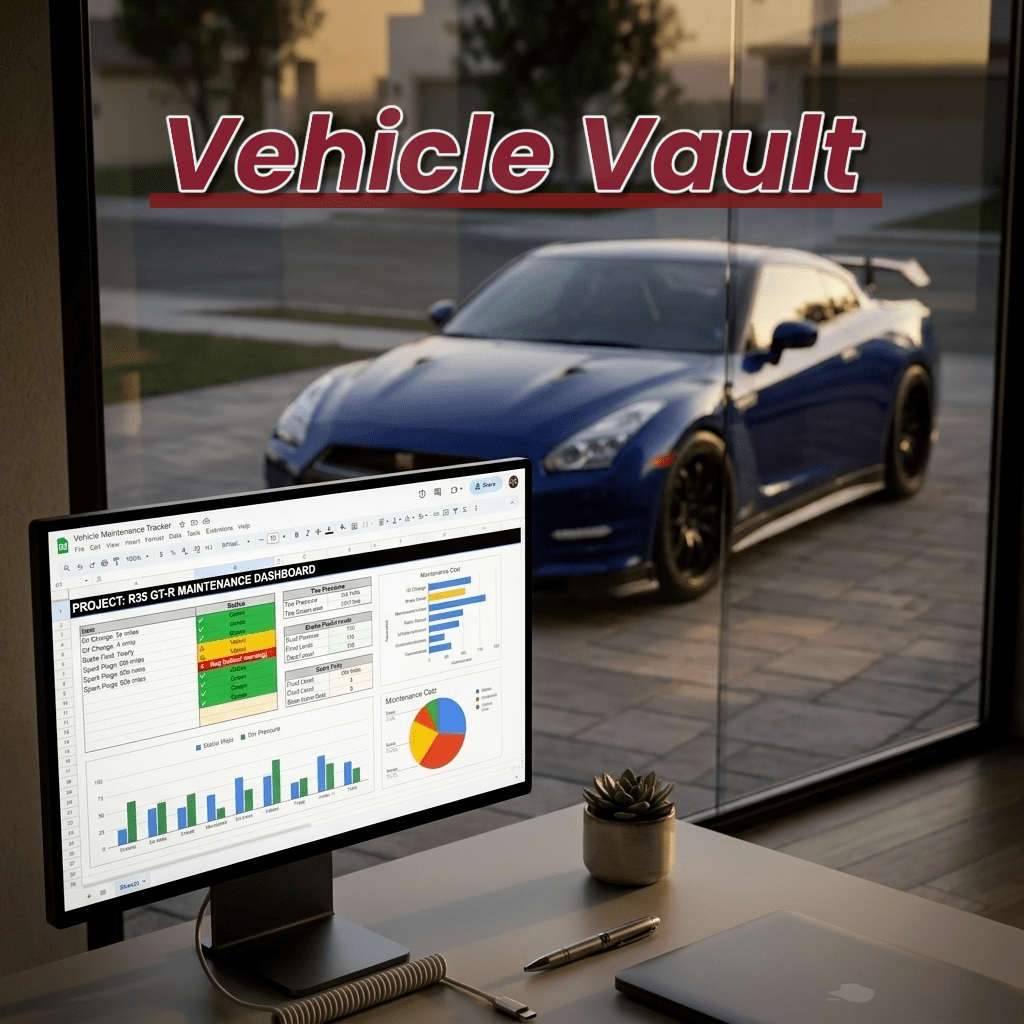
For those who care about their rides, this one is for you!
Keeping track of your car’s history or upcoming services gets out of hand fast. You either pile up service receipts that you have to dig through to find that one service you’re looking for, or you create multiple Excel sheets for each car and manually plug in records with no smart status or automation.
I’ve lost track of way too many service intervals. Take a sports or supercar for instance where you replace engine oil every 3,000-5,000 miles, if you care… So you’re at 5,000 miles knowing you’ll be replacing oil at 8-10k. Great… except you haven’t reached those miles 14 months later. Yeah, well, you didn’t factor in time AND old oil.
That’s when it hit me: mileage-based tracking isn’t enough. You need a clean system that watches both miles AND months, and actually reminds you when either hits the threshold.
I’ve tried every car maintenance app out there. AutoLog, Drivvo, CarFax Car Care, you name it. They all have the same problems…
The Problem with Car Maintenance Apps
They’re Limited
Some apps work. The interface is clean, reminders are helpful, and features are decent… BUT ONLY if you keep PAYING to upgrade. Want to track multiple vehicles? Pay more. Need advanced features? Upgrade your subscription. Export your data? Premium only. They lock you in.
Your maintenance records are valuable. They prove warranty compliance, boost resale value 15-20%, and help you stay on track with services, history, and budget repairs.
With subscription apps, you don’t own that data. It lives on their servers. Stop paying and it disappears.
Introducing Vehicle Vault 🔐
I built a solution I wished existed: A professional maintenance tracker!
Vehicle Vault – A fully automated & tailored Google Sheets template designed for car/bike owners who want a clean, powerful, and reliable way to track everything.
And most importantly: complete control of your vehicles’ records, and total ownership costs!
One-Time Purchase ($15)
NO subscriptions, NO locked features, NO apps required.
Features That Actually Matter
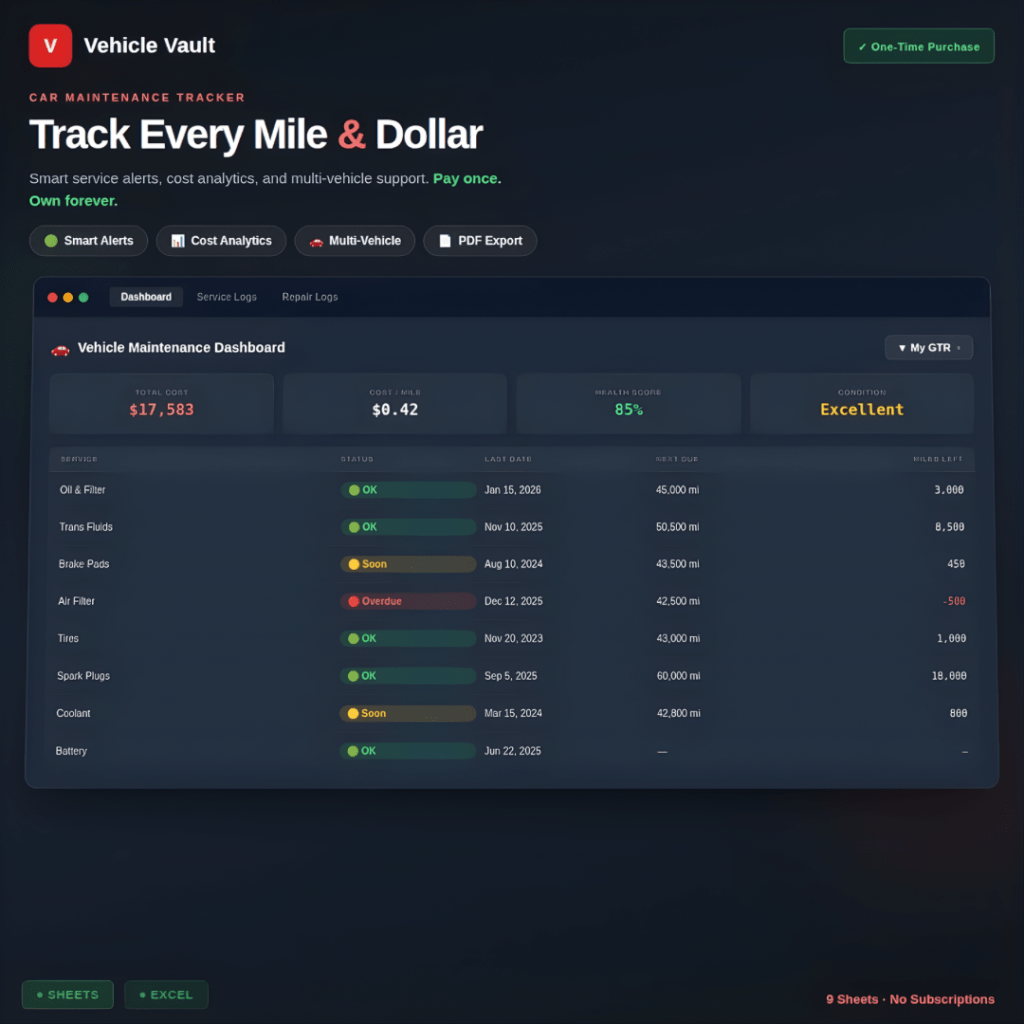
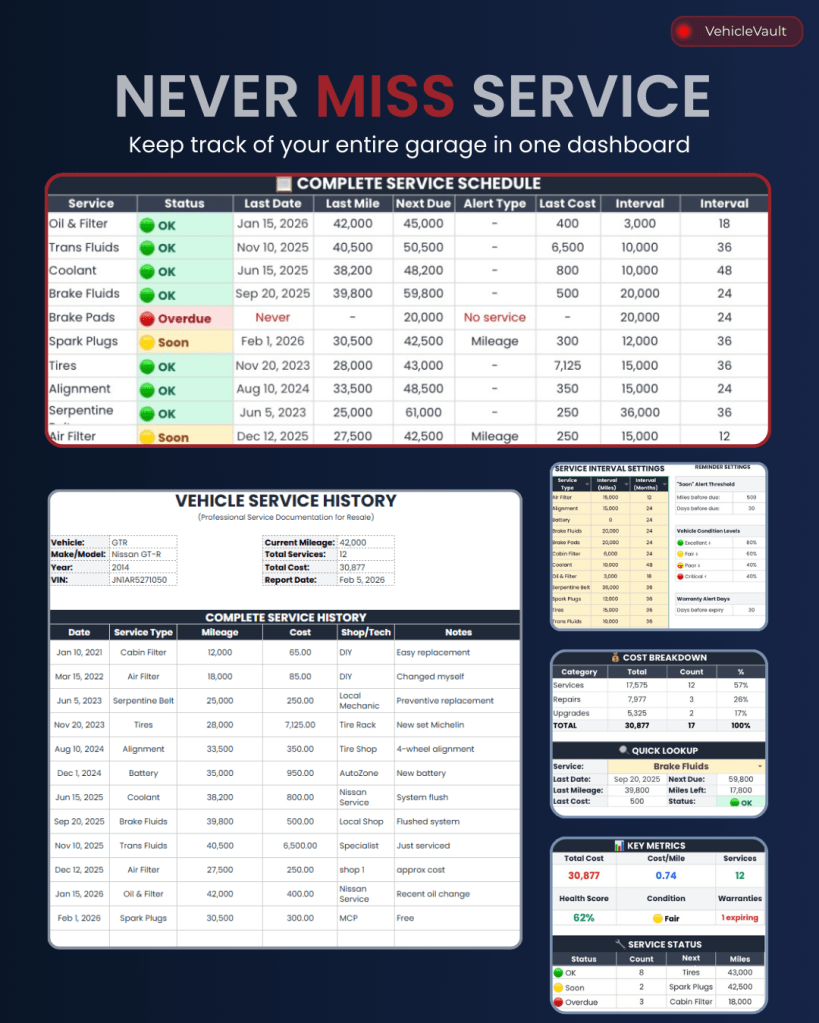
📊 Professional Dashboard
See everything at a glance:
- Total ownership cost (services + repairs + upgrades)
- Cost-per-mile calculator
- Vehicle health score (percentage of services current)
- Condition indicator (🟢 Excellent / 🟡 Fair / 🟠 Poor / 🔴 Critical)
- Multi-vehicle dropdown — switch between up to 10 vehicles instantly
🔧 Complete Service Tracking
Log every service with:
- Date and mileage
- Service type (oil, brakes, tires, etc.)
- Cost and shop/technician
- Notes and receipts
⚡ Smart Status Alerts
Intelligent calculations based on mileage AND time — whichever comes first:
- 🟢 OK — Service is current
- 🟡 Soon — Due within threshold (default: 500 miles or 30 days)
- 🔴 Overdue — Past due, schedule immediately
- N/A — No interval set (wear-based items like wipers)
Alert types tell you WHY it’s due: Time, Mileage, Time & Mile, or No service (never performed).
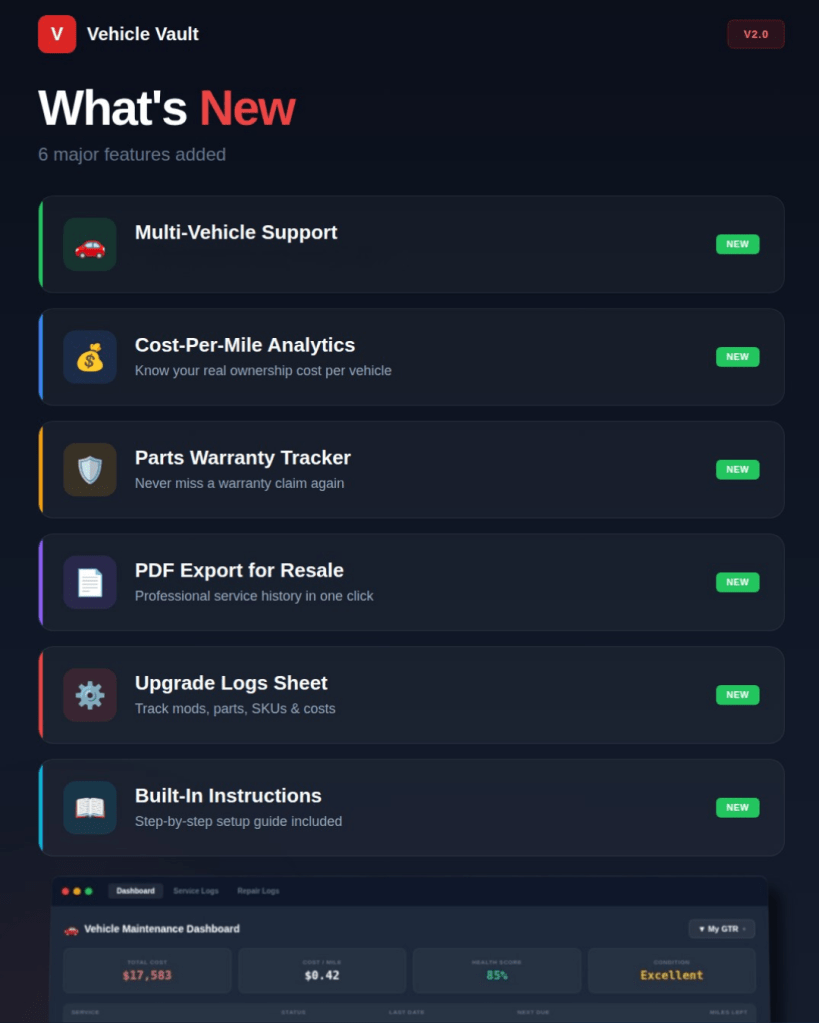
🚗 Per-Vehicle Intervals (NEW)
Different cars need different schedules. Now you can set custom intervals for EACH vehicle:
- GTR oil change: 3,000 miles / 6 months
- Daily SUV oil change: 7,500 miles / 12 months
- Garage queen: Skip mileage, track by time only
Use “-” to exclude services that don’t apply to specific vehicles. Perfect for mixed fleets.
🔍 Quick Service Lookup
Dropdown menu → Select any service → Instant history:
- Last service date
- Last service mileage
- Cost
- Next due
- Miles remaining
- Current status
🛡 Parts Warranty Tracking
Never miss a warranty claim:
- Log parts with install date and warranty months
- Expiry date auto-calculates
- Status updates automatically (Active / Expiring Soon / Expired)
- Dashboard shows warranty alerts at a glance
💰 Repair & Upgrade Logs
Track unplanned fixes:
- What broke
- What it cost
- Warranty status
- Parts replaced
Track performance builds:
- Mods installed
- Parts sourced
- Dyno results
- Project costs
Apps like AutoLog don’t let you track builds properly. Vehicle Vault has a dedicated Upgrade Logs sheet for this.
Get Vehicle Vault
I built this because I needed it myself. Now I’m sharing it with anyone who takes their vehicle maintenance seriously.
This is the full version. One price. Full access. Forever.
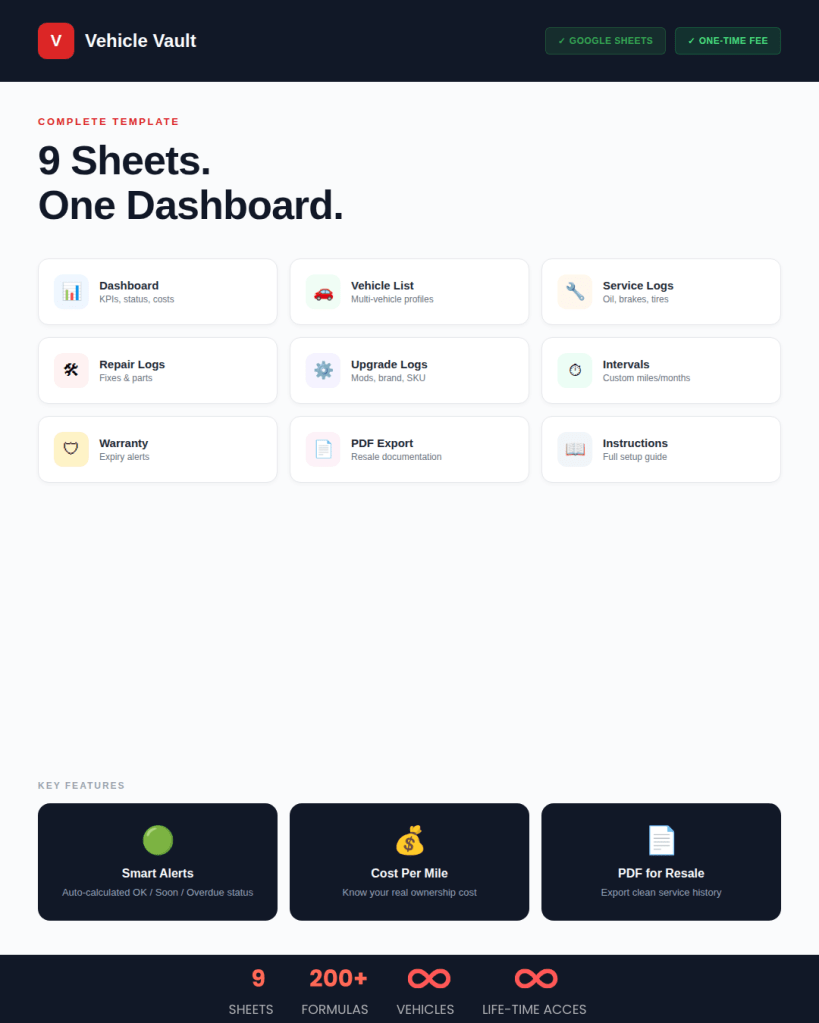

💡 How It Works
Step 1: Purchase & Download
Click the link above → Complete checkout → Click download link → Sign into Google → “Make a Copy”
This is now YOUR copy. Edit it, customize it, use it forever.
Step 2: Add Your Vehicles
Vehicle List tab → Fill in:
- Short name (e.g., “GTR”, “Daily”, “Weekend”)
- Make/Model
- Year
- VIN (optional)
- Current mileage (important!)
Step 3: Customize Intervals Per Vehicle
Interval Settings tab → Set mileage AND month intervals for each vehicle. Use “-” for services that don’t apply.
Example: GTR oil = 3,000 mi / 6 months. SUV oil = 7,500 mi / 12 months.
🔑 One Thing You Need to Do: Update Your Mileage
The whole system runs on one simple input: keeping your current mileage updated.
Every now and then (weekly, monthly, whenever), just update the mileage in the Vehicle List or use the quick update link on the Dashboard.
That’s the ONLY manual update you need. Everything else is automated.
Once you update:
- Service status alerts recalculate instantly
- Health score updates
- Dashboard reflects current state
Questions or suggestions? Hit me up at majjgarage20@gmail.com or DM on any of my socials.
Happy logging! 🚗
 MAJJ GARAGE
Leave a comment